FlowFuse Expert Can Now Work With Your Tables
FlowFuse Expert can now look up your FlowFuse Tables databases directly. Ask it to list the databases on your team, show you the tables in a database, or describe a table's schema, and it calls the right tools and reports back, without you needing to open the Tables view yourself. It can also preview a table's data: up to 10 rows, exactly as stored.
This is a fixed, read-only preview, not a query engine: there's no filtering, sorting, or paging through it, and no writes. For anything beyond that quick look, the Expert can help you build it as a flow with the tables-query node instead.
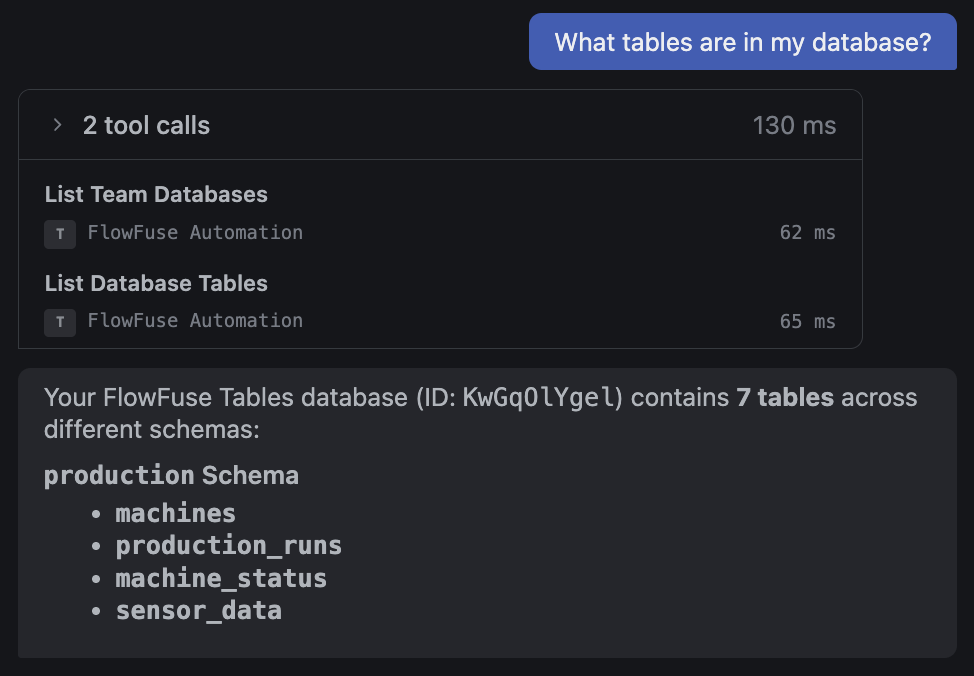 The Expert listing a database's tables, grouped by schema
Alongside this, FlowFuse Tables now correctly supports tables that live in a schema other than public. Previously, viewing data for a table outside the default schema could fail. Tables and their schema now show up correctly throughout the Tables UI: next to each table name in the list, and as schema_name.table_name (with a copy button) in the table detail view.
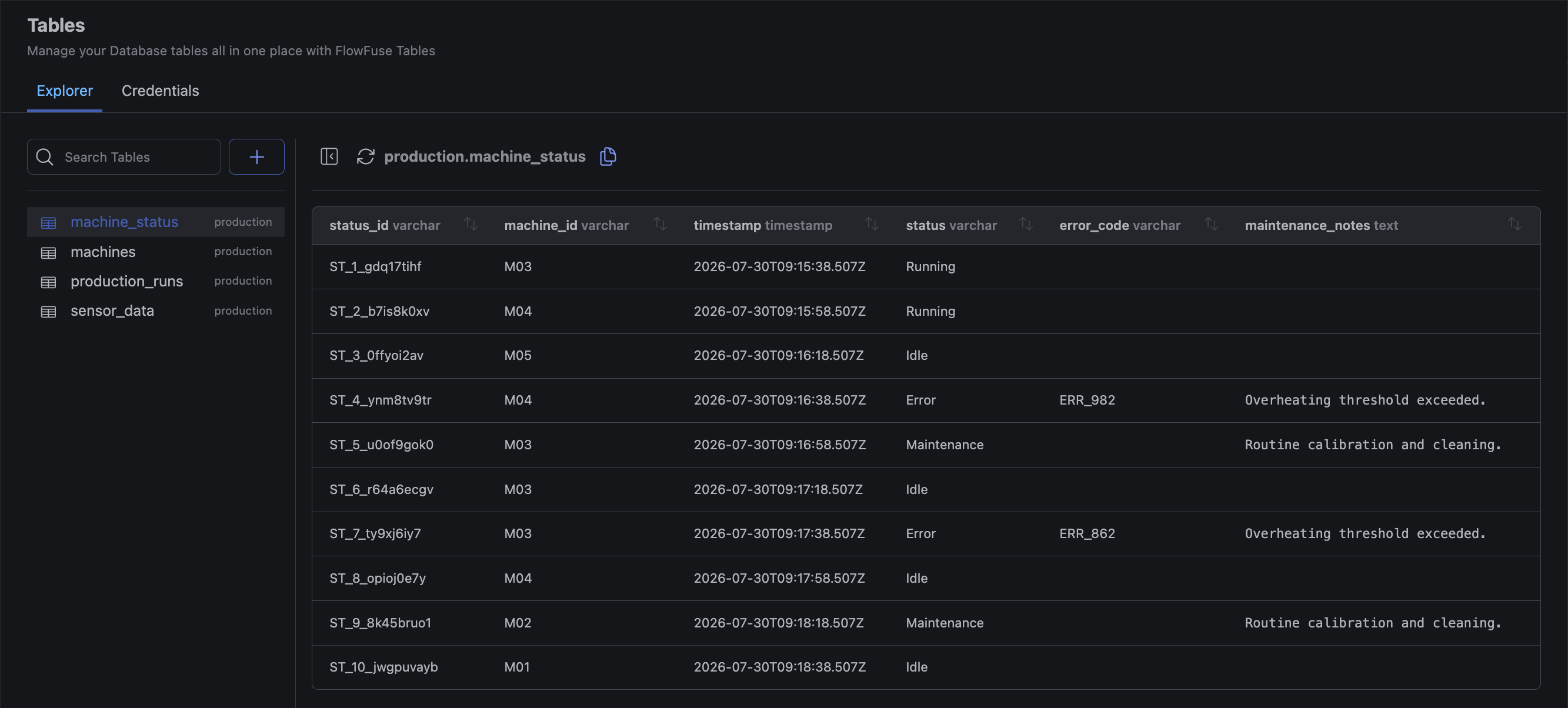 The schema label beside each table name, and the qualified
 schema.table name with a copy button in the header
This feature is available to FlowFuse Hub and FlowFuse Edge customers on Cloud and Self Hosted from v2.33
Written By:
Published on:
Related GitHub Issues
Recent Updates:
- Getting started with FlowFuse straight from the terminal
- A Dedicated Home for Your Dashboards
- Application Roles from SSO Groups
- FlowFuse Expert Enhancements
- Team Scoped Personal Access Tokens